How to Match CTU Robot Load Capacity with Your Material Handling Needs
Release time: 2026-10-08
Table of Contents
Choosing a CTU for warehouse or production-line operations involves more than checking a single load rating. The robot needs to handle the actual materials, carriers, and transfer tasks safely and consistently. A mismatch between the required payload and the equipment’s specifications can lead to unsuitable applications, inefficient workflows, or unnecessary changes after installation.
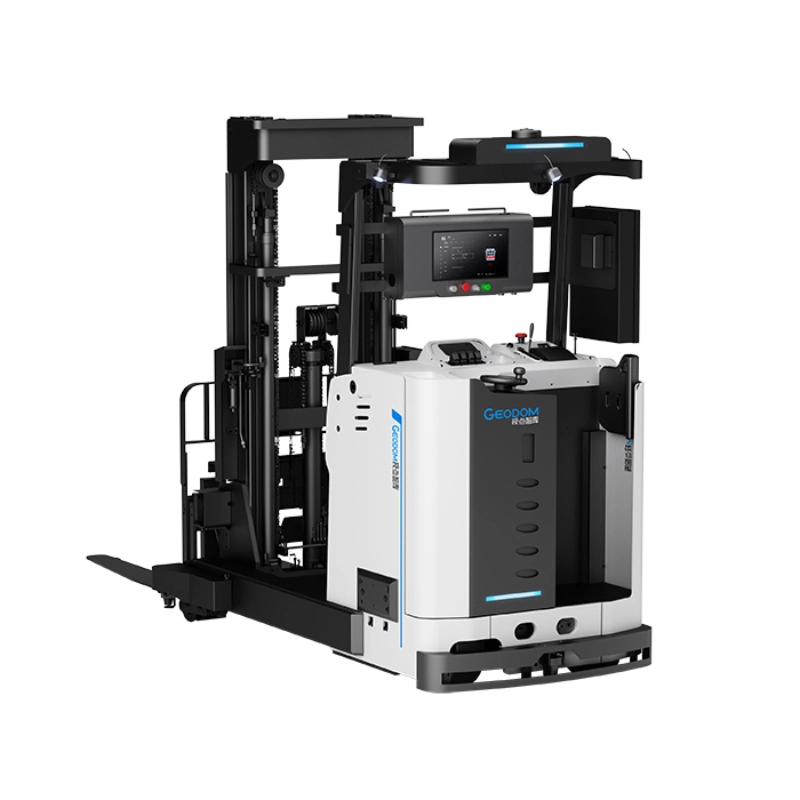
Before selecting a CTU Automated Mobile Robot, buyers should understand how vehicle load capacity differs from fork load capacity. They should also consider the weight of pallets or turnover boxes, the position of the load’s center of gravity, and the height and accuracy required for pickup and placement. These details help determine whether a CTU fits the intended application. AutoFork Robotics offers a CTU designed for automated material transfer, with specifications that can serve as a starting point for evaluating warehouse and manufacturing requirements.
Understand Vehicle Load Capacity vs. Fork Load Capacity
One of the most important steps in CTU selection is distinguishing between vehicle load capacity and fork load capacity. These figures describe different load requirements and should not be treated as interchangeable. For example, the AutoFork Robotics CTU specifies a vehicle load of 300 kg and a fork load of 50 kg. The 300 kg figure must not be interpreted as the weight the forks can lift.
This distinction matters because the robot’s load-bearing structure and its lifting mechanism have different operating requirements. A buyer transporting materials on a supported carrier must confirm how the load is carried and which rated limit applies. If the task involves lifting an item with the forks, the specified fork load becomes especially important. Always confirm the intended operating configuration with the supplier rather than assuming that one rating covers every handling situation. Clear interpretation of these figures prevents a common procurement mistake: choosing equipment based on a headline capacity that does not match the actual transfer task.
Calculate the Total Weight of Materials and Carriers
When calculating payload requirements, include the weight of the material and the carrier used to move it. A turnover box, pallet, material cart, or custom fixture adds weight to the handling task. Looking only at the contents can produce an inaccurate estimate, particularly when containers vary in size or are made from heavier materials.
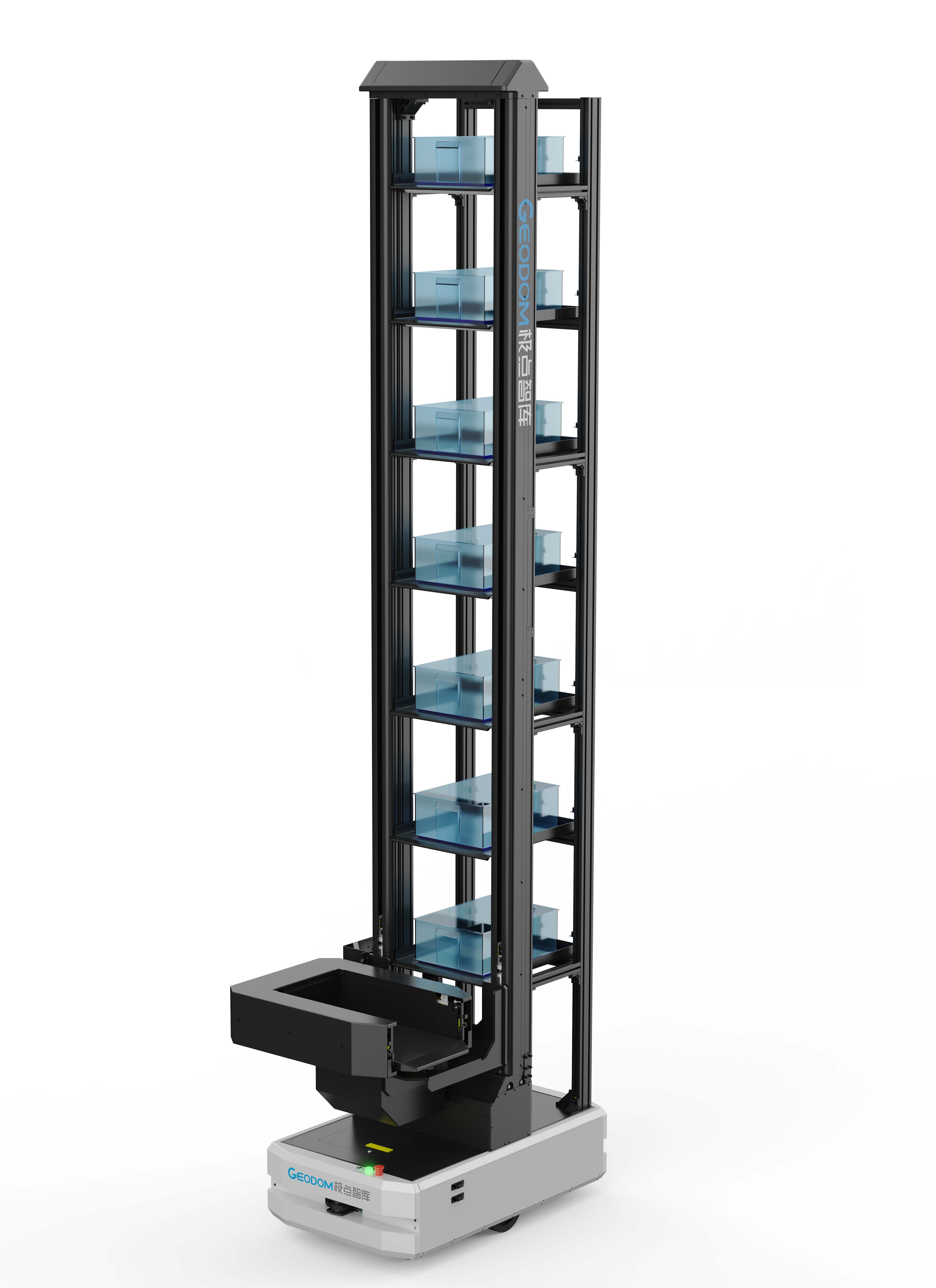
For industrial turnover box transport, buyers should calculate the combined weight of the box and its contents, then confirm that the planned loading method falls within the CTU’s applicable capacity limits. If the same robot will handle several types of containers, evaluate the heaviest routine load rather than relying on an average. It is also useful to record the dimensions and bottom structure of each carrier, since weight alone does not determine whether the forks can engage with it properly.
A simple load record can help suppliers assess the application more accurately. Include the empty carrier weight, maximum material weight, total loaded weight, and the frequency of each transfer. This gives the project team a more realistic picture of daily operating conditions.
Check Load Center, Dimensions, and Fork Compatibility
Two loads with the same weight can present different handling challenges. A tall container, an unevenly loaded box, or a carrier with an off-center load may behave differently from a compact, evenly distributed package. Before confirming a CTU, review the load’s center of gravity, overall dimensions, base structure, and the available space for fork insertion.
Fork compatibility is especially important when the robot must pick up containers from racks or transfer materials between storage and production areas. The fork spacing, insertion depth, and clearance around the pickup point should match the carrier design. If the load is positioned too far forward or is unevenly distributed, the application may require further engineering review even when its total weight appears acceptable.
Positioning accuracy also matters during repeated pickup and placement. The AutoFork Robotics CTU lists navigation position accuracy of ±10 mm, lifting stop accuracy of ±3 mm, and fork-arm docking accuracy of ±3 mm / ±1°. These specifications can help buyers assess precision requirements, but they do not replace checks for load capacity, carrier compatibility, or safe operating conditions.
Match CTU Capacity to the Actual Workflow
The right CTU configuration depends on what the robot will do throughout a normal shift. Short-distance transfers between workstations may involve frequent movements with relatively light loads, while rack-to-production-line operations may require more careful coordination of lifting height, carrier dimensions, and docking positions. Each workflow should be assessed using its own load and movement requirements.
When choosing an automated material handling robot, evaluate more than the maximum weight of a single item. Consider how often the robot needs to collect and release loads, whether different carrier types share the same route, and whether pickup locations remain consistent. A robot may be technically capable of handling a particular load but still be unsuitable if the carrier cannot be picked up reliably or the required transfer height falls outside its working range.
The AutoFork Robotics CTU lists a pickup height range of 350–3950 mm. Buyers should compare this range with the actual pickup and placement heights in their facility. They should also review route conditions, traffic arrangements, and charging schedules to determine whether the equipment can support the planned workload. Capacity, accuracy, and workflow compatibility should be assessed together.
Key Specifications to Confirm Before Purchase
Use the following table as a starting point when discussing a CTU application with a supplier. The figures shown are published specifications for the AutoFork Robotics CTU, not universal ratings for every CTU model.
| Item | AutoFork Robotics CTU specification | What buyers should check |
| Vehicle load | 300 kg | Confirm the applicable load configuration |
| Fork load | 50 kg | Verify the weight lifted by the forks |
| Pickup height | 350–3950 mm | Match actual pickup and placement points |
| Navigation position accuracy | ±10 mm | Check route and positioning requirements |
| Lifting stop accuracy | ±3 mm | Confirm placement tolerances |
| Fork-arm docking accuracy | ±3 mm / ±1° | Check carrier and fork alignment |
These figures help narrow down suitable applications, but the final decision should be based on the complete handling process. Provide the supplier with actual load samples or detailed drawings whenever possible. If the robot will handle multiple carriers, include the specifications for each one. This makes it easier to identify incompatibilities before deployment rather than discovering them during commissioning.
Prepare the Right Information for CTU Selection
A clear application brief makes equipment evaluation faster and more reliable. Start with the maximum material weight and the empty weight of each carrier. Add the external dimensions, load distribution, center of gravity, and details of the surface or openings used for fork engagement. If the robot will lift materials, specify the required pickup and placement heights and the acceptable positioning tolerance.
Next, describe the working environment. Include aisle dimensions, floor conditions, transfer distances, task frequency, and the expected operating schedule. If the CTU needs to communicate with a warehouse management system (WMS), enterprise resource planning (ERP) platform, or central dispatching system, confirm the required interfaces during project planning. AutoFork Robotics lists reserved interfaces for MES, WMS, ERP, and central dispatching systems, while the final integration requirements should be verified for the specific project.
A well-prepared brief allows the supplier to assess whether the CTU matches the real application instead of relying on a single load figure. It also helps both sides identify any need for carrier adjustments, workflow changes, or additional technical validation before purchase. The Carton Transfer Unit Robot should be selected based on its actual handling requirements, not just one headline specification.
FAQ
Does a 300 kg vehicle load rating mean the CTU forks can lift 300 kg?
No. The AutoFork Robotics CTU lists a vehicle load of 300 kg and a fork load of 50 kg. These are separate specifications. Buyers must identify how the material is supported during the task and confirm the applicable rating with the supplier.
Should I include the weight of a pallet or turnover box when calculating payload?
Yes. Include the carrier’s weight when calculating the total load involved in the transfer. Also check its dimensions, base structure, and load distribution to make sure it is compatible with the intended pickup method.
What information should I provide before selecting a CTU robot?
Provide the maximum material weight, carrier weight and dimensions, center of gravity, pickup and placement heights, transfer frequency, and operating environment. For automated applications, also describe the required system interfaces and workflow so the supplier can assess the full operating requirements.